
Whiteout Survival Shield Guide
A Whiteout Survival Shield blocks enemy attacks and scouting against your city for the time shown on its timer. Choose rechargeable protection or a consumable that covers your absence, then avoid offensive actions that cancel it. Removing a Shield starts a 30-minute wait before you can enable another. Checked in November 2026.
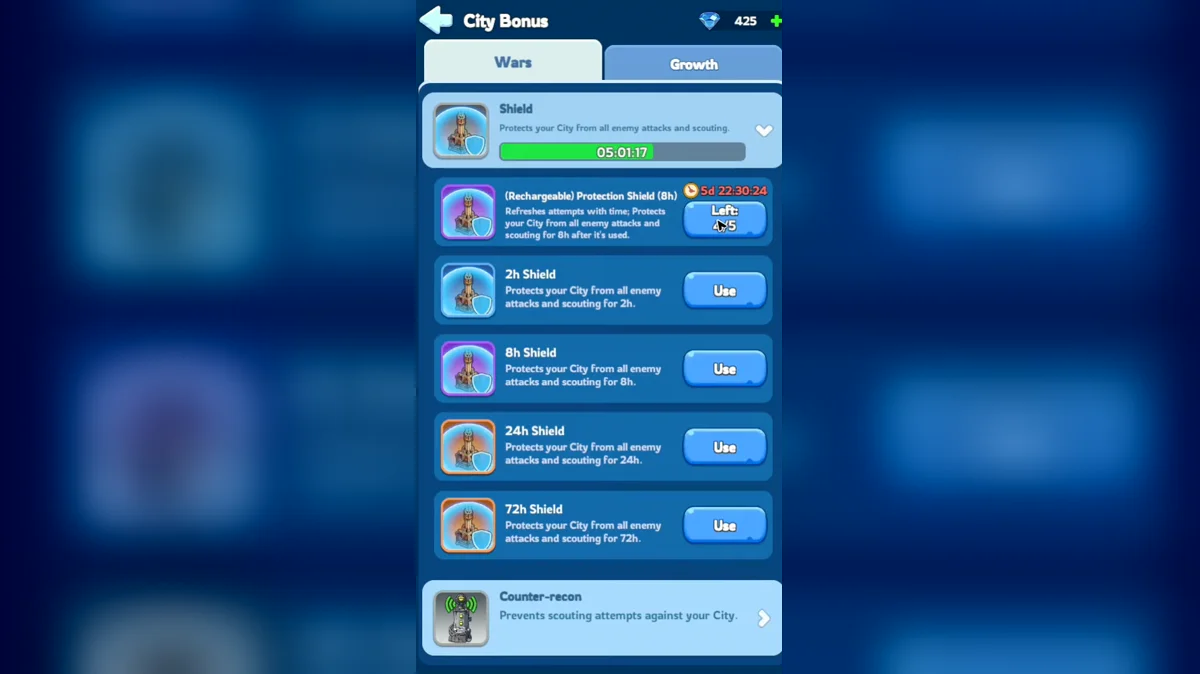
Shield Durations and Costs
Peace Shield, protection shield and bubble all refer to timed city protection in player discussions. The duration matters more than the nickname: pick the item that lasts until you can check your account again. A short bubble may cover a brief break, but it does not cover the rest of a day simply because you activated it before logging out. Read the timer before leaving.
The table separates rechargeable protection from inventory items. The rechargeable option uses a free charge rather than a Gem purchase. Consumables are separate items, so check your inventory before spending. For the longer options, compare the displayed cost with how long you need uninterrupted protection and how often you can return to renew it.
| Protection option | Duration | Gem cost |
|---|---|---|
| (Rechargeable) Protection Shield (8h) | 8 hours | Free charge |
| 8h Shield | 8 hours | Check the purchase window |
| 24h Shield | 24 hours | 4,800 |
| 72h Shield | 72 hours | 20,000 |
The 24-hour item covers a full day. The 72-hour option is useful when you need a longer uninterrupted absence. Do not buy a duration solely because its number is largest: choose enough time to reach your next reliable login. A smaller item only helps if you can actually return before it runs out and renew protection when needed.
How to Activate Protection
Find the Shield option in your city's protection controls or select a Shield item from your inventory. Choose the duration you intend to use, review the item or Gem cost, and confirm activation. Then check that protection is active and read its remaining timer. Owning an item and seeing an active city bubble are separate things; make the timer check part of your last action before leaving.
The rechargeable control is named (Rechargeable) Protection Shield (8h). Distinguish it from an inventory item with a similar duration so you know which reserve you are spending. If you intend to save free charges for short breaks, check the selected option before confirming a longer absence. Buying or owning several protection choices does not choose the right duration for you.
If activation is blocked, check your city's status before trying another item. Shield use is restricted while Scouting, Attacking or Occupying, and Battle Frenzy also prevents activation. An unavailable button can therefore reflect what your marches or city are doing. Repeatedly selecting a different duration does not remove those restrictions; resolve the activity or wait for the blocking status to end.
What Breaks Your Shield
Attacking other players ends active protection early. Guides also warn that scouting another player cancels a Shield. Treat a scout as an offensive decision when your plan depends on staying protected. Checking a target can have a cost beyond the march itself: it can turn a city you intended to leave safely into a city you must watch until you can protect it again.
For SvS, guides recommend treating attacks, joining offensive rallies and scouting as actions that drop the bubble. Reinforcing an ally's city is treated differently from reinforcing the castle or a turret. Check the target and role before sending troops. The word reinforcement alone does not tell you that every destination follows the same protection rule.
Keep the distinction between player combat and other activities clear. A warning about an offensive rally does not mean you should assume that every rally or every troop movement behaves identically. Read the action prompt and event restrictions before committing a march. If protection is the priority, do not test an offensive action just to see if the bubble survives.
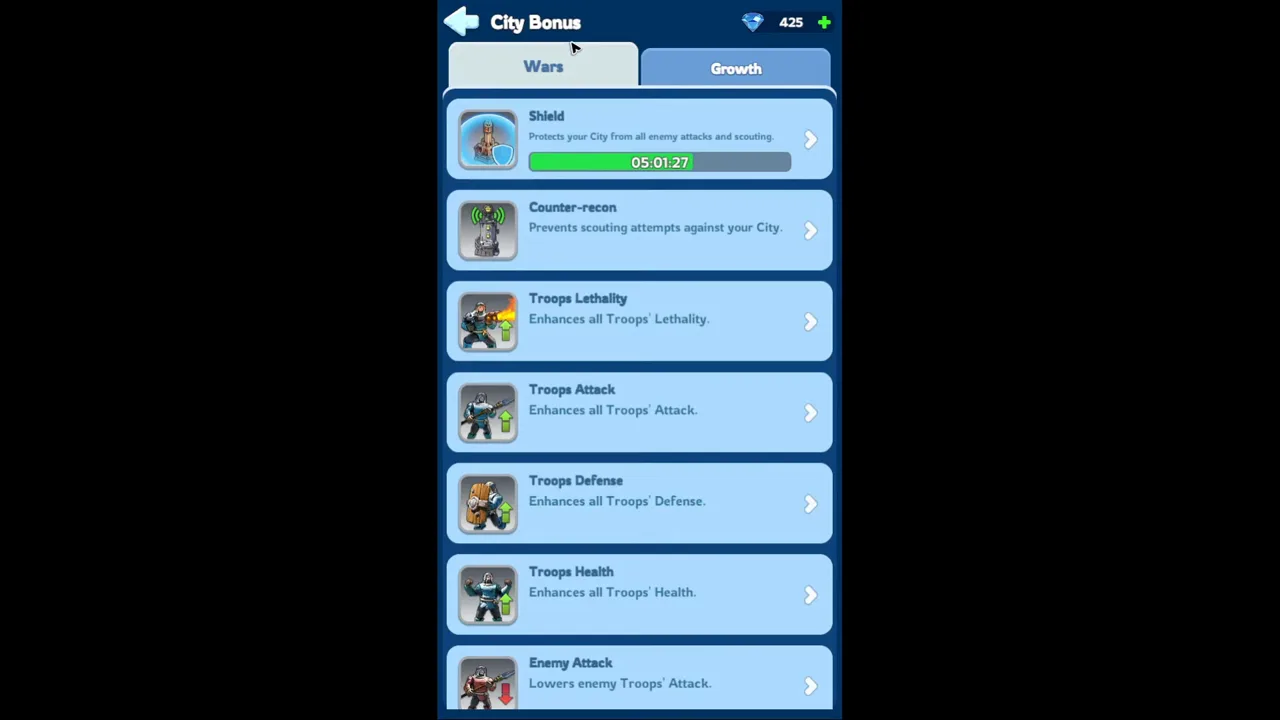
The short video opens City Bonus from the city, picks a shield from the list and shows where to buy more when you run out.
When to Shield Up
Choose protection around the period when you cannot respond to a threat. Before sleep or an extended break, compare the duration with your next expected login rather than with the time you hope to return. If the item expires before you are available, the last part of your absence has no bubble. A reminder helps only when you are able to act on it.
Guides recommend keeping protection active throughout a combat event when you are sitting it out. Use the Brothers in Arms event guide to check its combat window before choosing your coverage. Work backward from the end of the period you want to avoid: a Shield activated early can also expire early, so verify both your starting time and the event timer.
For cross-state fighting, the SvS guide explains the wider battle schedule. Guides recommend a full-day Shield when sitting out, while active fighters need to plan their unprotected intervals and later renewal. Keep the reactivation wait in that plan. Returning from an attack and owning another item does not mean the city can become protected at once.
State agreements affect how players assess ordinary days, but a social agreement is different from an active city Shield. Ask your alliance what rules apply before deciding that you can leave your city unattended. For coordination and help, use the alliance guide. Keep protection decisions tied to your account's actual timer and the current event window.
Buying and Saving Shields
Check the Alliance Shop for Shield availability before spending premium currency. Guides mention that route alongside Gem purchases, so look at the stock and cost offered to your character. Prepare the item before the period you intend to cover. Shopping only after your previous bubble has ended creates an avoidable gap between deciding to protect the city and having protection active.
For a longer absence, decide how much attention you can give the account. Renewing short protection means returning to the game on time; a longer item reduces that need. Compare the price you see with the convenience you need, then choose deliberately. Keep the rest of your currency plan in view with the VIP spending guide rather than making every purchase in isolation.
Use a simple departure check: the correct duration is selected, protection is active, the timer covers the intended absence and no planned offensive action will cancel it. If you expect to fight before leaving, finish that decision first and account for any reactivation wait. Putting a bubble on before an attack only to cancel it immediately wastes the purpose of the item.
Common Protection Questions
Can I replace a long Shield with a shorter one?
The replacement warning says that another bonus of the same type replaces the existing bonus and can shorten Shield duration. Read that warning before confirming instead of assuming unused hours are added together. For example, selecting an 8-hour Shield while longer protection remains is a replacement decision, not a reason to expect both timers to run consecutively.
Does teleporting to Sunfire Castle remove my Shield?
Teleporting into the Sunfire Castle Alert Zone disables your City Shield and prevents you from activating it there. Check the destination zone before confirming a move, especially if you are relying on a 24-hour item to cover an absence. A long timer does not override the Alert Zone restriction. Plan the move around your intended role in the battle.
Is Crystal Shield the same as a city bubble?
Crystal Shield is also an Infantry skill name related to damage reduction. That combat effect is different from the City Shield that blocks enemy attacks and scouting. For offline city protection, look for the protection item and its timer. A troop skill description does not show that your city has an active protective bubble.
Does entering Frostfire Mine activate a Shield?
The late-entry Frostfire Mine prompt states that entering activates the City Shield automatically. Read the entry prompt for that event rather than applying its behavior to every event or every march. After returning to ordinary city play, check your active protection and remaining time before going offline so your next protection decision uses the timer actually shown.
Why did rookie protection disappear during an upgrade?
A city upgrade can end rookie Shield protection, and the upgrade warning tells you when that will happen. Read it before finishing rather than relying on a remembered Furnace threshold. Player reports describe a rookie period of 48 hours, but the warning on your own city is the practical signal to arrange replacement protection before leaving the account unattended.
Read Next
Check the teleport guide before relocating your city, review Furnace progression before an early upgrade, or follow the starting-city guide while arranging your first protection items.